Downloader - Video Downloader
- 4.7
- Rating
- 100.00M
- Installs
- Free
- Price
 Analysis by App-foxy
When I need to save a video from a social platform for a creative project, I usually want something direct rather than a full editing suite. Downloader - Video Downloader, developed by Leap Fitness Group, is built around that simple starting point: finding a video, bringing it onto my device, and making it available for later use. It is a free Android app in the video players and editors category, with optional in-app purchases priced at $3.99 per item.
That narrow purpose is also its main appeal. I do not open it expecting a timeline, color grading, captions, or publishing tools. I use it as the intake stage of a workflow. If a clip is useful for reference, offline viewing, a private mood board, or a later edit, the app is designed to help me get it onto the phone without turning the process into a technical project.
Its broad adoption is easy to understand: the app has passed 100 million installs and holds a 4.7 average from around 543 thousand ratings. Those figures suggest that it solves a common problem for many people. Still, popularity does not make every download legitimate or every source compatible, so I judge it mainly by how clearly it handles ordinary saving tasks and how well it fits into a responsible creative workflow.
You May Also Like

 Blood Strike: 2.5 Anniversary
Blood Strike’s Loadouts Turn Every Drop Into a Tactical Gamble
A close look at Blood Strike’s custom loadouts: how fast access to signature weapons reshapes its battle royale rhythm, rewards preparation, and narrows the gap between fights.

 Pandora - Music & Podcasts
Pandora’s Music Is Easy to Start, but Harder to Recover
Pandora’s strength is its low-effort path from a seed to a station. Its weak spot is how much confidence it asks you to place in connection, setup, and quiet recovery.

 8 Ball Pool
 Is Built on Rivalries, Rematches, and Routine
A close look at the rivalries, rematches, shared routines, and unanswered safety questions that turn a quick pool match into a persistent mobile community.

 Samsung Music
’s Quiet Strength Is Playing What You Already Own
Its reach comes less from spectacle than from dependable access to a personal library. That simplicity is both the app’s strongest retention engine and its ceiling.

 AccuWeather: Weather Radar
AccuWeather Review: A Quick, Clear Forecast for Everyday Decisions
For everyday plans, the best forecast is the one you can understand quickly. AccuWeather makes rain timing, radar, and local conditions easy to act on, with a few trade-offs.

 Hill Climb Racing
Why Hill Climb Racing Still Turns Crashes Into One More Run
A tiny car, a bumpy hill and one more upgrade: Hill Climb Racing keeps resurfacing because its simple chaos makes every near-miss feel personal.
More From Our News Desk
View All News


Where it fits in a creative workflow
I find this section most useful when thinking beyond a single saved clip: the downloader can serve as a deliberate entry point, while the next tools handle sorting, editing, and keeping project files in order. A good workflow starts by deciding what each download is for, so a reference does not get mistaken for footage cleared for reuse. With that distinction in place, it is easier to see who benefits most from this focused approach.
Starting with a useful reference clip
The best use case is the early research stage of a project. I might be planning a short travel video, collecting examples of transitions, or saving a public clip that helps me understand a visual idea. Instead of repeatedly opening a social feed and hoping the same post appears again, I can keep a local copy for reference. That makes comparison easier when I am outlining a shot list or deciding what kind of pacing I want.
A practical habit is to create a small folder structure before downloading anything. I separate inspiration, footage I have permission to use, and material that is only for private reference. This sounds basic, but it prevents a common mistake: treating every saved social video as material that can be reposted. Downloader - Video Downloader handles the acquisition step; I still need to track ownership, permission, and the intended use of each file.
For a creator working mainly on a phone, that distinction matters. The app can shorten the distance between discovering an idea and placing it beside other project material. It does not replace a proper asset library, however. If I am managing a large production with many versions, tags, notes, and collaborators, I would rather use a dedicated file-management system after the download is complete.
What the app does well before editing begins
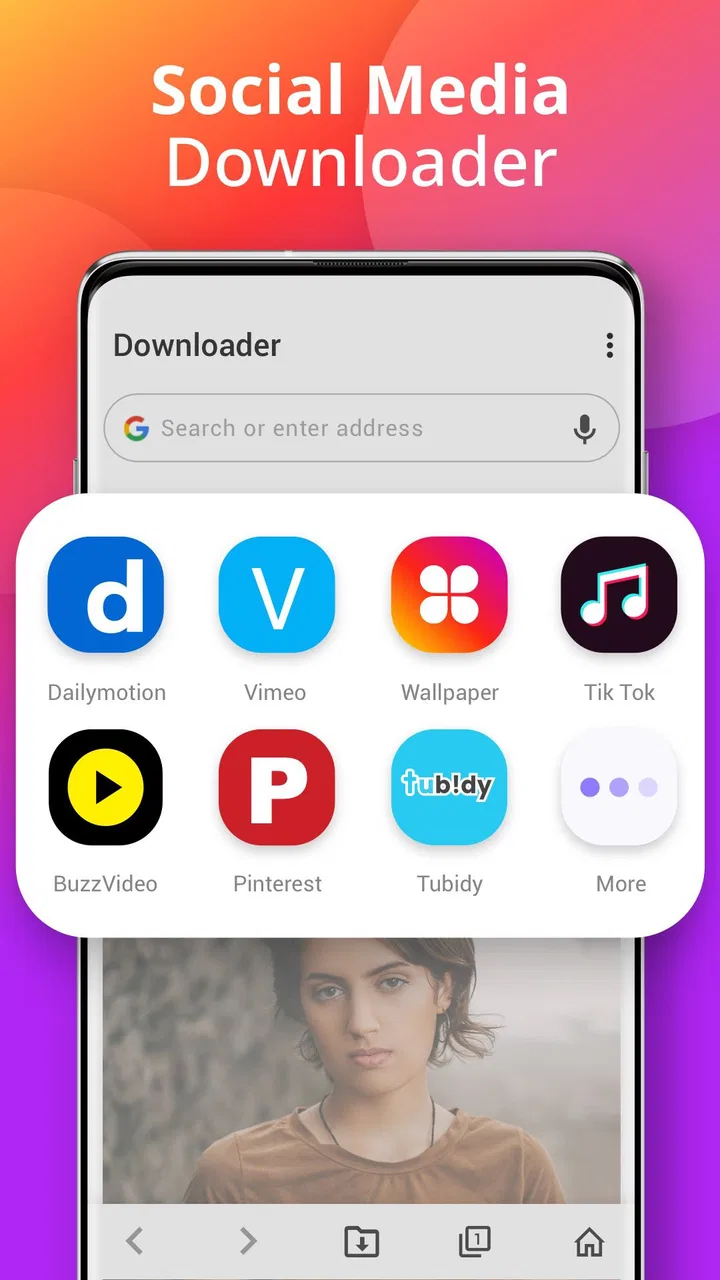
The store summary presents it as a fast way to download videos from popular social websites, and that focus comes through in the experience. The interface is not trying to persuade me to learn a complicated editing workflow. I can approach it with one immediate question: can I bring this video onto my device for later use?
That simplicity is useful when the source clip is part of a larger process. For example, I may be preparing a vertical product concept and need several public examples to study framing. I can save the relevant material, review it away from the original feed, and then decide which visual choices are worth adapting in my own work. The app is most valuable here as a quick collection point, not as the place where the final creative decisions happen.
There is also a small but important trade-off between speed and control. A dedicated downloader can be quicker than screen recording, but it does not automatically solve questions about resolution, audio, file naming, or source restrictions. I would check the resulting file before building an edit around it. A clip that looks fine in a feed may not be suitable for a polished export, especially if it is compressed or displayed in a format that does not match the rest of the project.
Making a project after the download
Once a video is saved, I move to a separate editor for trimming, sequencing, captions, sound, or transitions. That separation is actually helpful. Downloader - Video Downloader stays focused on getting source material onto the phone, while the editor handles creative construction. Trying to make one app perform both jobs often produces a cluttered workflow, so I appreciate the clear boundary here.
My usual process would be to download only the clips I expect to inspect, rename or organize them in the phone’s file system, and then import selected material into an editor. I avoid filling storage with every interesting post because a large, unfiltered collection becomes difficult to search. The more disciplined approach is to save a clip, review it, and either keep it with a note about its purpose or remove it.
One non-obvious advantage of this workflow is that it encourages a pause before editing. Social feeds are designed for rapid scrolling, while a local file can be watched deliberately. I can check the opening seconds, identify the useful section, and decide whether the clip is a reference or an actual asset. That small pause helps me avoid building a project around a video that was only interesting because of its original context.
Handling everyday creator scenarios
Imagine I am commuting and see a public tutorial that explains a technique I want to remember for a later shoot. I can use the downloader to keep the video available for review, then watch it when I have time to write notes. In another situation, I might be preparing a presentation for a small client and collecting visual references. Saving a few relevant clips makes the discussion less dependent on an internet connection or a changing feed.
For short-form creators, the app can also be useful during pre-production. I might collect examples of opening shots, pacing, or camera movement, then compare them while drafting my own sequence. The important limitation is that “reference” should remain the default assumption unless I have clear rights to reuse the content. I would not treat a downloaded clip as automatically cleared for a commercial post, remix, or client delivery.
It is less suitable for someone who wants an all-in-one production environment. If my main goal is to record original footage, edit it, add music, create subtitles, and publish immediately, I would choose a mobile editor or a platform’s built-in creation tools instead. This app becomes relevant when the missing step is obtaining a video, not when the missing step is creative assembly.
Iteration: checking what actually arrived
Downloading is not the end of the process. I make a point of opening the saved file outside the downloader and checking that it plays correctly, has the expected orientation, and contains the parts I need. This is especially useful before I delete the original post from my mental workflow and begin editing around the local copy.
I also compare the clip with the project’s intended format. A vertical social video may fit one project but require awkward cropping in a landscape presentation. A clip with embedded text may be difficult to adapt, and a low-quality source can look noticeably worse after another round of editing and export. The app helps me obtain material; it does not improve the underlying quality.
When a download does not work as expected, I would first check whether the source is publicly accessible and whether the app recognizes the page correctly. Social platforms change their layouts and delivery methods, so no downloader should be treated as universally reliable. I also avoid repeatedly retrying questionable sources, since a failed attempt is often a sign that the particular page or service is outside the app’s practical reach.
Another useful habit is to keep the original saved file untouched and make working copies inside the editor. That gives me a fallback if I crop too aggressively, add permanent captions, or export with settings that reduce quality. It is a simple form of version control, but it matters when a downloaded clip is difficult to obtain again.
Where it differs from the usual alternatives
The most familiar alternative is screen recording. Recording works almost anywhere that a video can play, but it can capture interface elements, notifications, playback controls, or inconsistent audio. A downloader is cleaner when the source is supported because it aims to save the video itself rather than a recording of the screen. On the other hand, screen recording may be the more practical fallback when a page cannot be processed, provided the recording is used lawfully.
Another alternative is saving a post inside the social platform. That is convenient for bookmarking, but it usually depends on the post remaining available and the service staying online. A local file is more useful for offline review and importing into another app. The trade-off is that local storage becomes my responsibility, and I need to keep folders organized instead of assuming the platform will manage everything.
Some browsers and file-manager tools can also handle downloads, but they tend to be less focused. I prefer a purpose-built downloader for a quick one-off task, while I would choose a broader file tool for moving many types of documents or maintaining a structured archive. The right choice depends on whether video acquisition is the central problem or only one small part of a larger workflow.
Export and handoff to the next tool
The handoff stage is where I would be most careful. After saving a video, I check where it appears on the device and whether my chosen editor can locate and import it. I do not assume that a file being visible in one app automatically means it will be easy to find in another. A clear folder and a meaningful filename can save more time than another download attempt.
For a simple personal workflow, I might save a clip, inspect it, import it into an editor, and then remove the original if I no longer need it. For a longer project, I would preserve the source separately and place edited versions in a project folder. This keeps the downloader from becoming an accidental archive and makes it easier to identify which file was used in the final cut.
The app is free to install, which lowers the barrier for occasional use. Optional purchases at $3.99 per item may matter to users who want additional capabilities offered inside the app, but I would evaluate them against my actual frequency of use. Someone downloading only an occasional reference clip may not need to spend anything; someone relying on the tool regularly should consider whether the paid options improve a workflow enough to justify them.
It is also worth remembering the platform requirements. The current version is 1.4.8, and the app requires Android 6.0 or later. That makes it accessible to many Android phones, though anyone using an older device should check compatibility before planning a project around it. The Everyone content rating makes it approachable for a broad audience, but age suitability does not change the need to respect copyright and platform rules.
Limitations I noticed in the overall approach
The biggest limitation is scope. A downloader cannot fix a poor source, restore detail lost through compression, or turn a social clip into production-ready footage. It also cannot decide whether I have the right to reuse something. Those decisions stay with me, and ignoring them can create problems long after the technical download has succeeded.
I would also be cautious about storage. Video files accumulate quickly, especially when I save multiple versions or forget about clips collected for a project that has already ended. A monthly cleanup is worthwhile: I keep material with a clear purpose, move important originals to a safer location, and remove duplicates. This is one area where a dedicated asset manager or cloud workflow may be better for frequent creators.
Finally, convenience can encourage impulsive collecting. The app makes it easy to turn a passing idea into a file, but a folder full of unreviewed downloads is not the same as a useful reference library. I get the most value when I download with a reason, label the role of the clip, and decide quickly whether it belongs in my creative process.
My verdict for creators and everyday users
After looking at it as a working tool rather than a general media app, I see Downloader - Video Downloader as a practical first step between discovery and editing. It is especially suitable for Android users who regularly need to save public social videos for offline viewing, visual research, or a later handoff into another editor. Its free entry point and focused purpose make it easy to try without committing to a full creative suite.
I would recommend it to a friend who says, “I keep finding useful videos, but I need them available outside the feed.” I would not recommend it as the main app for producing finished content, organizing a professional media library, or handling rights and publishing decisions. Those jobs require different tools and more deliberate project management.
The strongest result comes from using it with a clear sequence: discover thoughtfully, download selectively, inspect the file, organize it, and then move it into the editor that suits the project. That workflow turns a simple utility into a useful creative intake tool. The key is to treat every saved video as either a reference or an authorized asset, never as automatically reusable content.
Leap Fitness Group has made a focused app that addresses a familiar Android need without pretending to replace the rest of a creator’s toolkit. With its 4.7 average and more than 100 million installs, it has clearly found a substantial audience. My final view is positive but specific: choose it when obtaining a video is the bottleneck, keep a separate editor for making the work, and look elsewhere when you need deeper control over production, organization, or delivery.
For me, that clarity is the real strength of Downloader - Video Downloader. It is not a complete studio, and it should not be judged as one. Used as a careful bridge from social discovery to offline review or authorized editing, it can remove a frustrating step and keep a small mobile workflow moving.
FAQs for Downloader - Video Downloader
01What video formats does Downloader - Video Downloader support?
Downloader - Video Downloader supports a wide range of video formats, including MP4, AVI, MOV, and more. This ensures that users can download and play videos from various sources without compatibility issues. Always check the specific format requirements for your device to ensure seamless playback.
02Is Downloader - Video Downloader safe to use?
Yes, Downloader - Video Downloader is designed with safety in mind. It includes secure download protocols to protect your device from malware and unauthorized access. However, users should only download content from trusted sources and ensure their antivirus software is up to date for additional security.
03Can I download videos from any website using Downloader - Video Downloader?
Downloader - Video Downloader supports downloading from many popular websites, but it may not work with all sites due to restrictions or copyright policies. Users should only download videos for personal use and ensure they comply with the terms of service of the website from which they are downloading.
04Does Downloader - Video Downloader offer any editing features?
While Downloader - Video Downloader primarily focuses on downloading, it does offer basic editing features such as trimming and format conversion. These tools allow users to customize their downloaded videos to suit their needs, although for more advanced editing, a dedicated video editor would be recommended.
05How can I manage my downloaded videos within the app?
The app includes a built-in file manager that allows users to organize, rename, and delete downloaded videos. This feature helps keep your video library tidy and accessible. Users can also categorize their videos into folders for easier navigation and retrieval.
Pros
- Supports multiple video formats.
- Fast download speeds.
- User-friendly interface.
- Allows background downloads.
- Built-in video player.
Cons
- Contains ads in free version.
- No option for batch downloads.
- Limited editing features.
- Requires in-app purchases.
- May not support all websites.

Downloader - Video Downloader
Gallery